Assign cycling pen colors and split to layers with Pen Palette in Studio. Three-pen surface walkthrough, feature 12 of 69. Watch and try in Studio.
Split a surface into three pen colors with Pen Palette, all in your browser. This is Feature 12 of 69 in the 3DPlotter V3 series: a walkthrough of the Pen Palette modifier. Build a Generators surface wireframe, add Latin text, cycle red, yellow, and green across the paths, Split to Layers, export G-code, and plot on the A1 Mini. No Inkscape, no manual layer duplication.
How to use Pen Palette
Select the layer whose linework you want to transform
Open Studio → Add Modifier → Lines → Pen Palette
A modifier node is appended to the layer stack (non-destructive)
Reorder modifiers in the stack; later modifiers see earlier output
Tune parameters in the modifier card in the right sidebar; preview updates on the canvas
Menu path: Add Modifier → Lines → Pen Palette
The story behind this plot
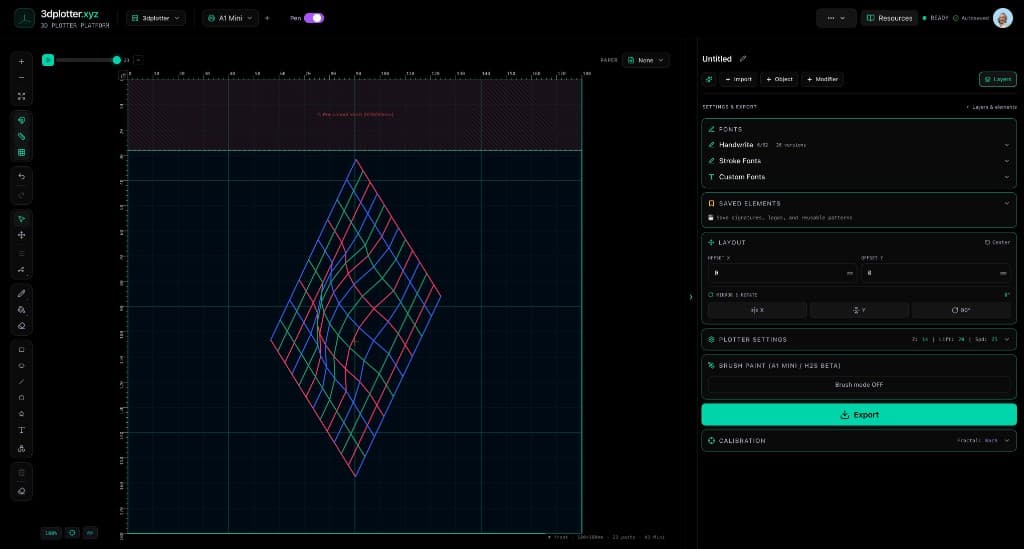
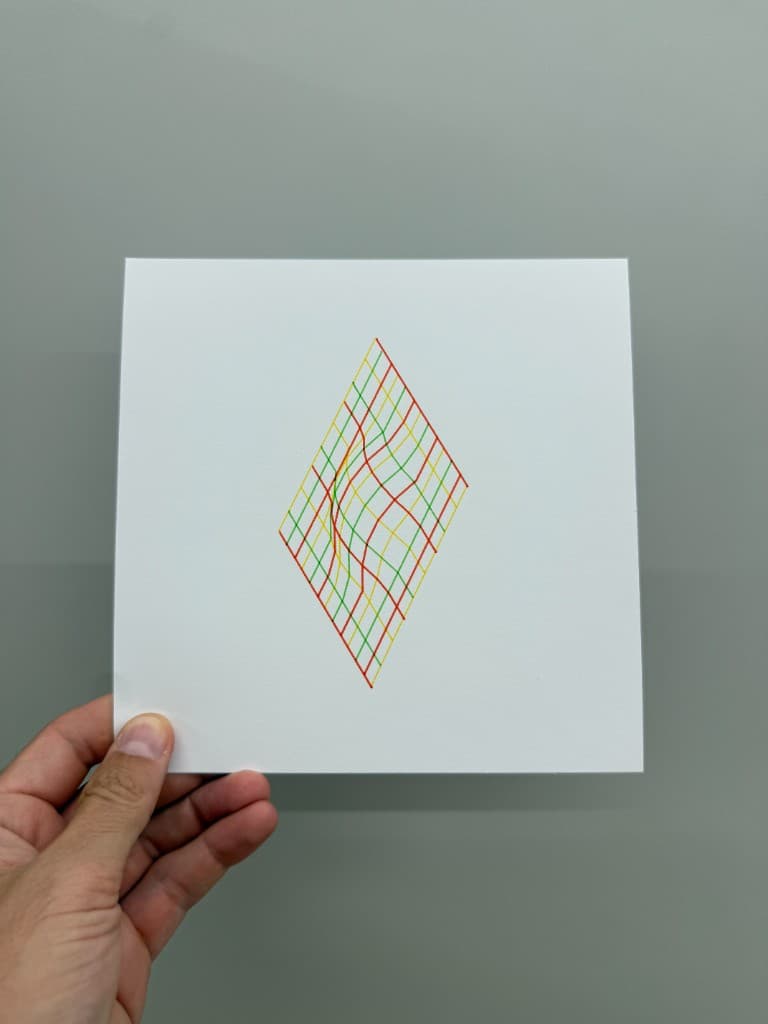
This piece started as a Generators surface wireframe on the bed, plus Text in Latin letters on the same layer. Pen Palette assigns ink colors across the linework: I set Assignment to Sequence, Palette Size to three, pick red, yellow, and green, and watch paths cycle through the colors on the canvas.
Then Split to Layers bakes the preview into one layer per pen, so export runs three pen passes on the A1 Mini without copying paths by hand.
What you'll learn in the video
Open Studio and find Pen Palette under Add Modifier → Lines
Add a Generators surface wireframe and Text with Latin lettering on one layer
Set Assignment to Single, Sequence, or Random
Choose Palette Size and set up to eight pen colors with per-color width
Assign by Paths or Chunks (length or count per path)
Limit which strokes get colors with Path Range and Pattern
Click Split to Layers to create one layer per palette color
Export G-code and plot with three pens on your pen holder
Pen Palette controls
Assignment: Single color, Sequence (cycle), or Random (weighted)
Palette Size: 2–8 colors in Sequence or Random mode
Color / Width: per-pen ink and stroke width (mm)
Color Unit: whole Paths or Chunks along each stroke
Chunk Size By: length (mm) or fixed chunk count per path
Path Range Start / End: percentage window of strokes to recolor
Pattern: All, Every Other, or Every Nth path
Split to Layers: one board layer per assigned color, ready for multi-pen export
Live preview: colors update on the canvas before you split or export
Why Pen Palette beats manual color separation
Most workflows mean duplicating the file three times, deleting paths by hand, and hoping layer colors still match export. Pen Palette recolors linework live, splits to layers in one click, and exports pen-specific G-code from Studio.
Key controls
Assignment: single, options: Single, Sequence, Random
Color Unit: paths, options: Paths, Chunks
Chunk Size By: length, options: Length, Count
Pattern: all, options: All, Every Other, Every Nth
Palette Size: 3 (2-8 step 1)
Tune assignment, color unit, chunk size by, pattern, and palette size in the right sidebar. Open Studio to see every control.
Modifier stack: May add, drop, or reorder paths; selection maps reset for this layer
What I plot with Pen Palette
Multi-pen surface plots, posters, and color-separated linework
Three-pen (or up to eight-pen) designs from a single surface or generator
Layer-per-color export on Bambu Lab A1 Mini, Prusa, Creality, and other pen-holder setups
Combined with Text, Terrain, generators, and other modifiers on one board
G-code with pen-up travel between color layers
Frequently asked questions
How do I use Pen Palette in 3DPlotter?
Add linework on a layer, then Add Modifier → Lines → Pen Palette. Set Assignment to Sequence, choose Palette Size and colors, then click Split to Layers.
What does Split to Layers do?
It creates one board layer per palette color with paths already assigned, so you can export separate pen passes without copying artwork by hand.
Can I assign colors to part of the linework only?
Yes. Use Path Range Start / End and Pattern (All, Every Other, Every Nth) to limit which strokes get recolored.
What is the difference between Paths and Chunks?
Paths assigns one color per whole stroke. Chunks splits each stroke into segments by length or count and cycles colors along the path.
How many pens does Pen Palette support?
Up to eight colors in Sequence or Random mode, each with its own width. The video uses three pens on a surface plot.
Is Pen Palette non-destructive?
Yes, until you Split to Layers, which bakes colors into separate layers. Remove the modifier before splitting to revert the preview.
Try Pen Palette
Open 3DPlotter Studio, follow the steps above, and export a test plot. Lifetime V3 access is €29.90. Creator Bundle (€39.90) adds Map to Pen Plot, String Art, Wax Seal, and 3D Model to SVG.