Trim dense generator linework with Filter in Studio. Current, Ruling, and shapes walkthrough, feature 8 of 69. Watch and plot on the A1 Mini.
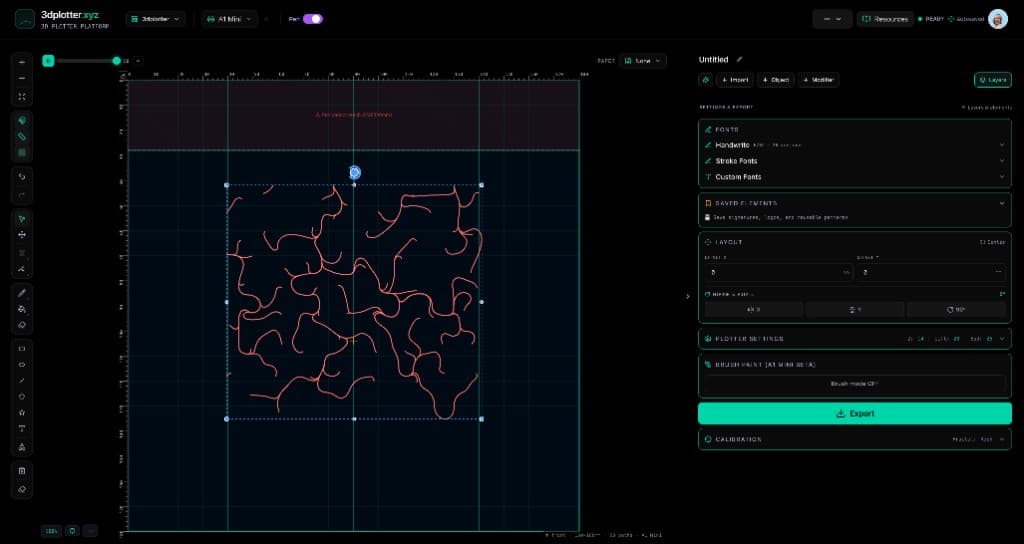
Carve dense generator linework into clean pen plots with Filter. This is Feature 8 of 69 in the 3DPlotter V3 series: a walkthrough of the Filter modifier. I add Current, Ruling, and Shape objects, trim strokes by drawing progress and path pattern, pick the filtered Current artwork, export G-code, and plot on the Bambu Lab A1 Mini. No Inkscape, no manual path deletion.
How to use Filter
Select the layer whose linework you want to transform
Open Studio → Add Modifier → Lines → Filter
A modifier node is appended to the layer stack (non-destructive)
Reorder modifiers in the stack; later modifiers see earlier output
Tune parameters in the modifier card in the right sidebar; preview updates on the canvas
Menu path: Add Modifier → Lines → Filter
The story behind this plot
This piece started with three generators on the bed: Current streamlines swept through a noise field, Ruling parallel lines at an angle, and a few Shape outlines for structure. Each one produces hundreds of strokes. Filter is how I carve that density down: keep only part of the drawing order, drop every other path, or trim along drawing progress until the linework feels right.
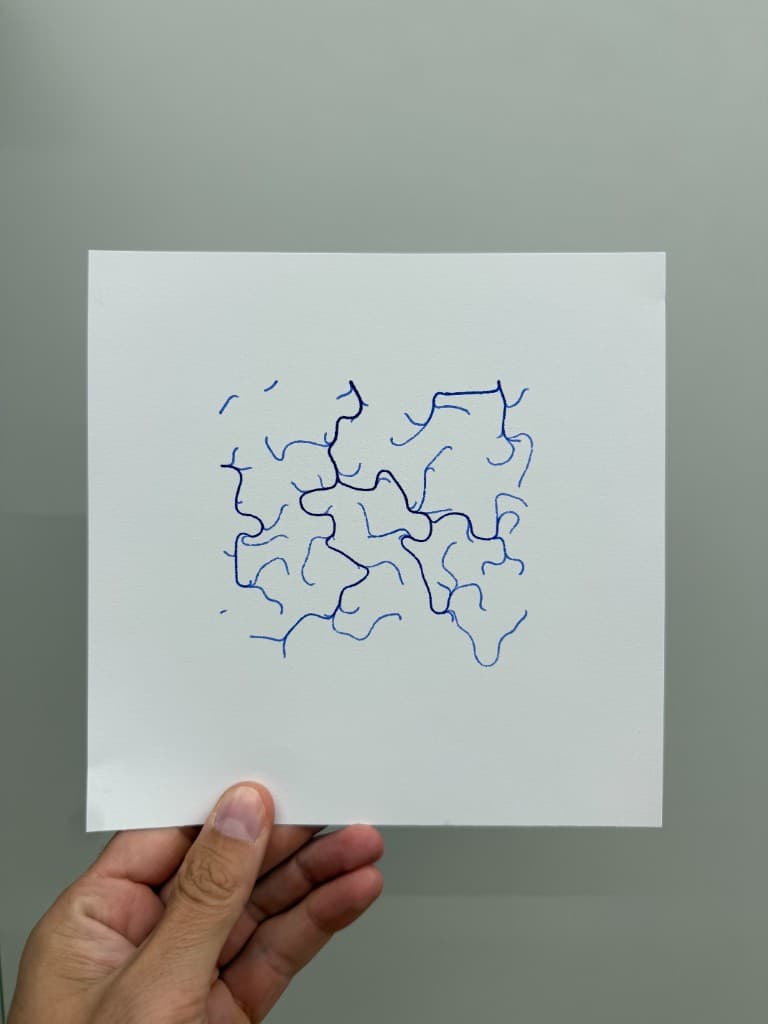
In the video I demo Filter on all three, then settle on Current inside a square frame, export G-code, and plot the branching pattern on the Bambu Lab A1 Mini.
What you'll learn in the video
Open Studio and find Filter under Add Modifier → Lines
Add Current, Ruling, and Shape objects from Add Object
Apply Filter to keep or remove strokes by drawing progress
Set Range Start and Range End to trim partway along the linework
Switch Path Pattern to Every Other or Every Nth to thin dense fields
Choose Keep Inside or Keep Outside for the selected range
Set Acts On to This Layer and Below when filtering stacked generators
Pick the filtered Current artwork, export G-code, and plot on the A1 Mini
Filter controls
Range Basis: Drawing Progress trims along stroke order; Whole Paths keeps or drops entire strokes
Range Start / Range End: percentage window along the ordered linework (0-100%)
Range Selection: Keep Inside or Keep Outside the window
Reverse Drawing Order: flip which strokes count first
Path Pattern: All Paths, Every Other, or Every Nth
Every N / Offset: keep every Nth stroke with an optional start offset
Acts On: This Layer or This Layer and Below
Non-destructive stack: tweak settings, reorder, or remove the modifier without regenerating
Why Filter beats manual path editing
Most workflows mean selecting paths by hand in Illustrator, deleting hundreds of strokes, and hoping the composition still holds. Filter runs live on generator output: dial Range End to 40%, switch to Every Other, preview on the canvas, and export G-code without leaving Studio.
Key controls
Acts On: allBelow, options: This Layer, This Layer and Below
Range Basis: drawingProgress, options: Drawing Progress, Whole Paths
Range Selection: inside, options: Keep Inside, Keep Outside
Path Pattern: all, options: All Paths, Every Other, Every Nth
Range Start: 0% (0-100% step 1)
Tune acts on, range basis, range selection, path pattern, and range start in the right sidebar. Open Studio to see every control.
Modifier stack: May add, drop, or reorder paths; selection maps reset for this layer
Acts On: Choose *This Layer* or *This Layer and Below* in the right sidebar.
What I plot with Filter
Dense generator fields thinned into clean branching patterns
Current streamlines, Ruling line fields, and shape outlines edited in one stack
Abstract pen art on Bambu Lab A1 Mini, Prusa, Creality, and other pen-holder setups
Layered linework exported as G-code with pen-up travel
Combined with other V3 objects and modifiers in the same document
Frequently asked questions
How do I filter linework in 3DPlotter?
Select your layer, then Add Modifier → Lines → Filter. Tune Range Start, Range End, and Path Pattern in the right sidebar.
What does Drawing Progress mean in Filter?
Strokes are ordered by drawing progress. Range Start and Range End define a percentage window along that order. Keep Inside keeps strokes in the window; Keep Outside drops them.
How do I thin a dense Current or Ruling field?
Set Path Pattern to Every Other or Every Nth, or narrow the range with Range End. Acts On: This Layer and Below filters everything stacked under the modifier.
Can Filter work on shapes and generators?
Yes. Current, Ruling, Shape outlines, imports, and freehand strokes all pass through Filter. Generators produce the densest fields, which is where Filter shines.
Is Filter non-destructive?
Yes. Filter is a modifier node on the layer stack. Tweak settings, reorder, or remove it without regenerating the source objects.
Does Filter work with multi-pen plotting?
Yes. Use Pen Palette on a layer to split linework by color, or set per-path ink on other modifiers like Offset.
Try Filter
Open 3DPlotter Studio, follow the steps above, and export a test plot. Lifetime V3 access is €29.90. Creator Bundle (€39.90) adds Map to Pen Plot, String Art, Wax Seal, and 3D Model to SVG.