Browse Surfaces, Spirograph, Flow Fields, and more with Generators in Studio. 3D wireframe terrain walkthrough, feature 17 of 69. Watch and try in Studio.
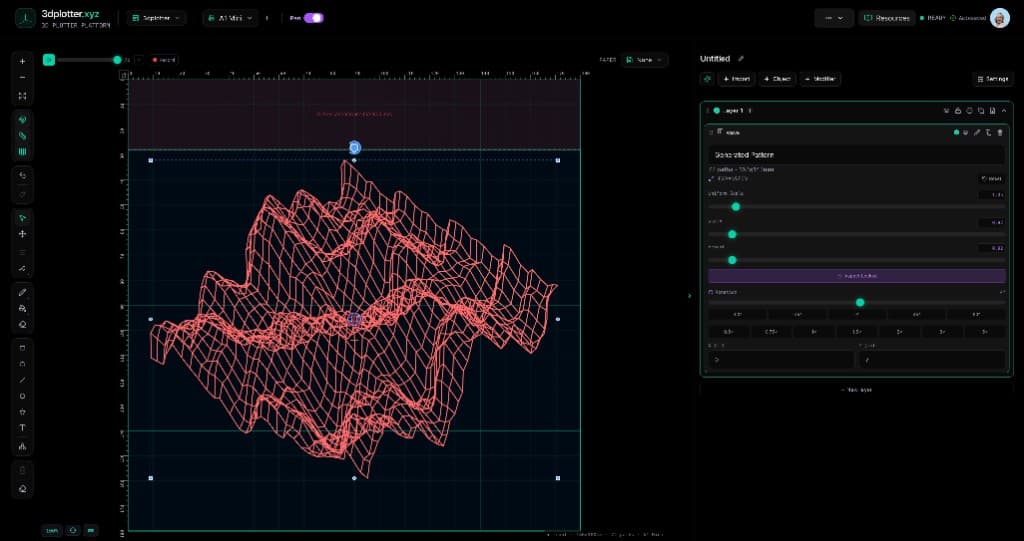
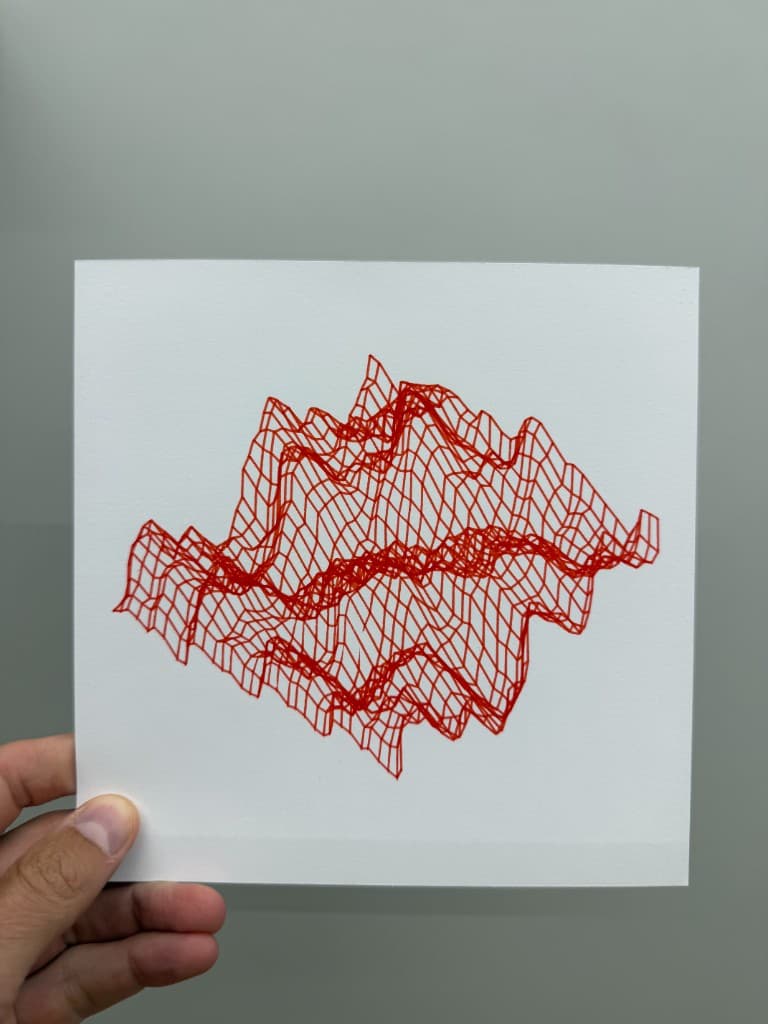
Browse dozens of generative presets with Generators, all in your browser. This is Feature 17 of 69 in the 3DPlotter V3 series: a walkthrough of the Generators library. Open Surfaces, preview Ripple and Mountain Peaks, place a 3D wireframe on the bed, tune height and rotation, export G-code, and plot in red on cardstock. No Processing, no SVG cleanup.
How to use Generators
Open Studio → Add Object → Lines & Patterns → Generators
Pick a geometric preset and tune pattern parameters in the element card
Menu path: Add Object → Lines & Patterns → Generators
The story behind this plot
Generators is the big library of plot-ready mathematical art inside Studio. In the video I open Add Object → Lines & Patterns → Generators, scroll the preset collection — Surfaces, Lissajous, Spirograph, Flow Fields, Geometric, Spirals, String Art, Recursive, Interference, Radial, Patchwork, Truchet, and Generative — and focus on Surfaces for this plot.
Each preset shows a live preview before you place it: Ripple, Mountain Peaks, Saddle, Noise Terrain, Orbit Surface, and more. I pick a wireframe terrain, tune size and generator settings, add it to the canvas, then manipulate height, 3D orbit, scale, and rotation until the ridges read the way I want. Export G-code and plot the surface in red on cardstock — hundreds of lines, zero manual drawing.
What you'll learn in the video
Open Studio and choose Add Object → Lines & Patterns → Generators
Use the preview to compare presets before adding to the bed
Deep-dive Surfaces: ripple, peaks, noise terrain, orbit, and related wireframe presets
Adjust size, width, height, and generator-specific parameters in the element card
Refresh the seed when a preset supports variation
Orbit and tilt the surface in 3D to find the best plotting angle
Scale and rotate on the bed, then export G-code for your pen holder
Generators features
Preset library: dozens of curated mathematical and generative patterns, each plot-ready
Category browser: jump between surfaces, curves, flow fields, tilings, and string art
Live preview: see the linework before committing to the canvas
3D Surfaces: perspective wireframe terrains with amplitude, grid, and orbit controls
Parametric tuning: frequency, perspective, rotation, and type-specific sliders per preset
On-canvas transform: uniform scale, width, height, move, and rotate like any object
Combine with modifiers: Radial Array, Linear Array, Filter, Pen Palette, and the rest of the V3 stack
Direct G-code: PlotFlow exports the generated paths for your 3D printer pen setup
Why Generators beats external generative tools
Most workflows mean exporting from Processing, TouchDesigner, or a web toy, cleaning SVGs, and rescaling to your bed. Generators lives at plotter dimensions: pick a preset, preview, orbit in 3D, export — no second app, no broken paths.
Key controls
Pick it from the menu, then adjust settings in the right sidebar.
What I plot with Generators
3D wireframe terrains and ripple surfaces from the Surfaces category
Spirograph roses, Lissajous curves, flow fields, and geometric tilings from one menu
Posters, cards, and generative art on Bambu Lab A1 Mini, Prusa, Creality, and other pen-holder setups
Layered compositions with modifiers, text, and imports on the same board
Dense linework exported as G-code with pen-up travel
Frequently asked questions
Where are Generators in 3DPlotter?
Add Object → Lines & Patterns → Generators. Search or scroll the preset library in the panel.
What kinds of patterns can Generators make?
Surfaces (3D wireframe terrains), Lissajous, Spirograph, Flow Fields, Geometric tilings, Spirals, String Art, Recursive fractals, Interference, Radial layouts, Patchwork, Truchet, and Generative presets — each with tunable parameters.
How do I preview before placing a generator?
Select a preset in the Generators panel to see a live preview, then add the one you like to the canvas.
Can I rotate a 3D surface before plotting?
Yes. Surface presets support 3D orbit, height, perspective, and on-bed scale and rotation so you choose the angle the pen will draw.
Can I change the random look of a generator?
Many presets expose a seed or refresh control so you can re-roll variation without leaving Studio.
Is Generators destructive?
Generators are layer objects. Edit parameters anytime in the element card, or delete the object to remove it.
Can I use Generators with modifiers?
Yes. Stack Radial Array, Linear Array, Filter, Pen Palette, and other modifiers on generator output like any other linework.
Does Generators work with multi-pen plotting?
Yes. Use Pen Palette or per-path ink on layers and modifiers after generating the pattern.
Try Generators
Open 3DPlotter Studio, follow the steps above, and export a test plot. Lifetime V3 access is €29.90. Creator Bundle (€39.90) adds Map to Pen Plot, String Art, Wax Seal, and 3D Model to SVG.