3DPlotter V3 Launch Series
Day 7 of 14 · Generators Simulation

3DPlotter V3 Day 7: Generators Simulation

Day 7 introduces simulation for six generators: Growth, Hanging, Burst, Drape, Wake, and Deflection. Preview your plots virtually before printing.

3DPlotter V3 Day 7: Generators Simulation

Day 7 of our V3 journey is here, and today we're diving into something that changes the game: simulation for our generators.

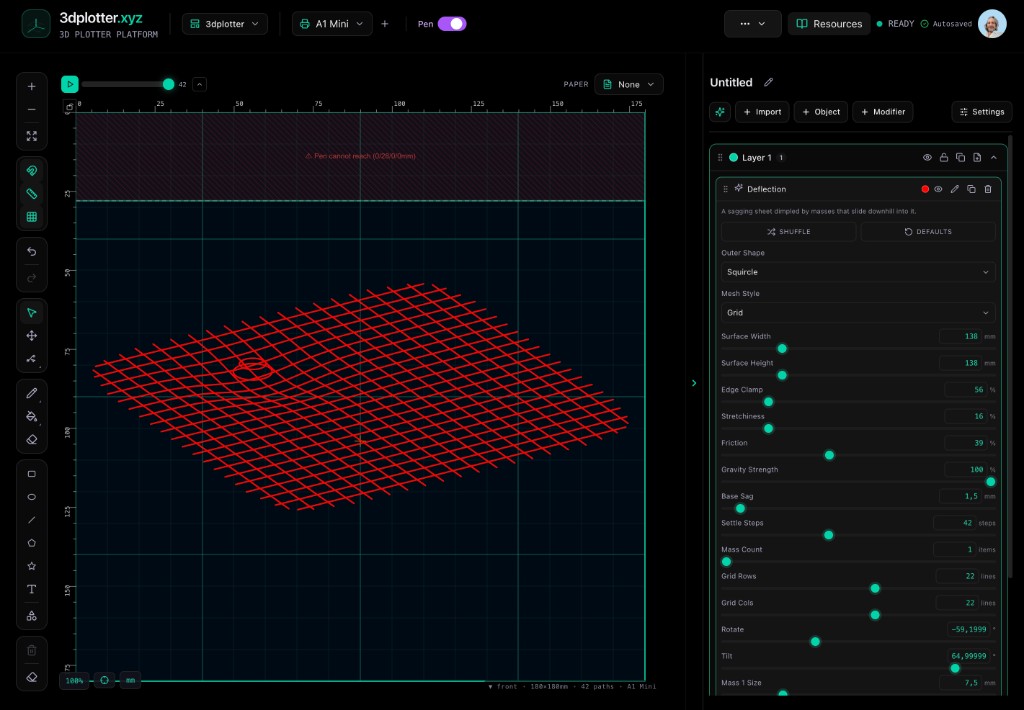
We've added Growth, Hanging, Burst, Drape, Wake, and Deflection to the simulation module. That means you can now preview exactly how your plot will behave before you ever press start on your printer.

No more guesswork. No more wasted paper and ink. Just a clear, virtual preview of the final result.

Why does this matter? Because when you're turning your 3D printer into a pen plotter, precision is everything. Whether you're plotting a delicate line art piece or a bold poster, you want to know the pen path is correct.

With this simulation, you can test different generator settings and see the outcome instantly. It's like having a virtual 3d printer simulator right in your browser. You can tweak parameters, see how the lines will flow, and make adjustments before committing to the physical plot.

This is especially useful for beginners. You can learn how each generator affects the drawing without wasting materials. And for pros, it's a quick way to iterate on complex designs.

We're building a complete 3d plotting simulation technology that puts you in control. This isn't just about plotting; it's about creating with confidence.

Want to see it in action? Head over to our site and explore the simulation tools. Drop a comment below with which generator you're most excited to try!

Tags

3D PrintingPen PlotterSimulationGenerative ArtMaker Tools

Follow the full V3 reveal

14 days of features, workflows, and maker stories leading up to launch.