Turn Your A2L Into a Large-Format Plotter
Convert your Bambu Lab A2L into a powerful pen plotter with a massive 330×292mm plot area. No complex setup, no firmware hacks, just print the tool head cover, create your design, and plot.
€29.90 one time (limited time offer) • Lifetime access • Includes pen holder STL, G-code generator, 50+ fonts, and gallery access.
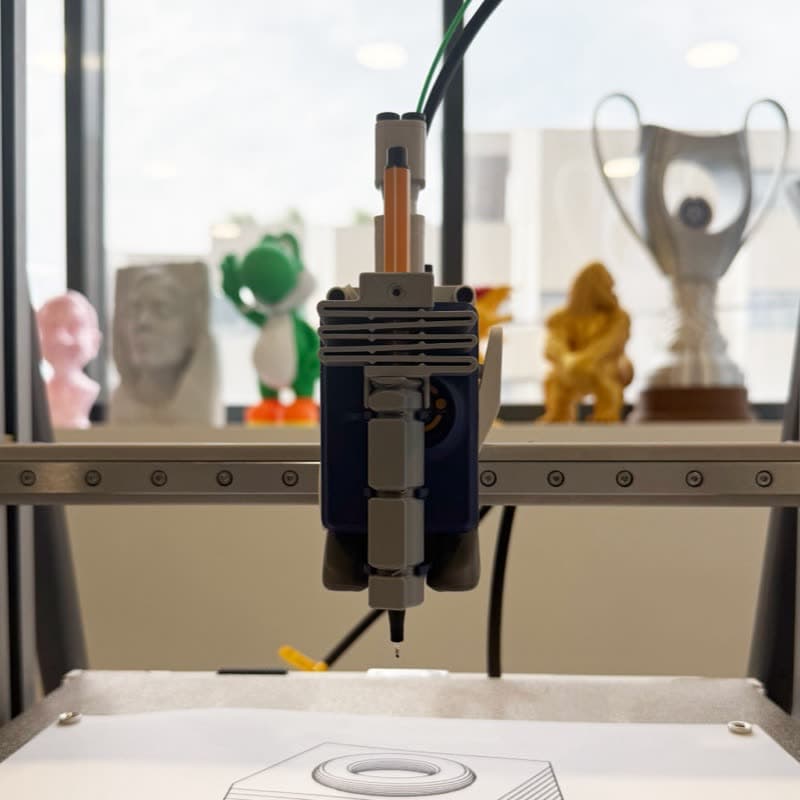
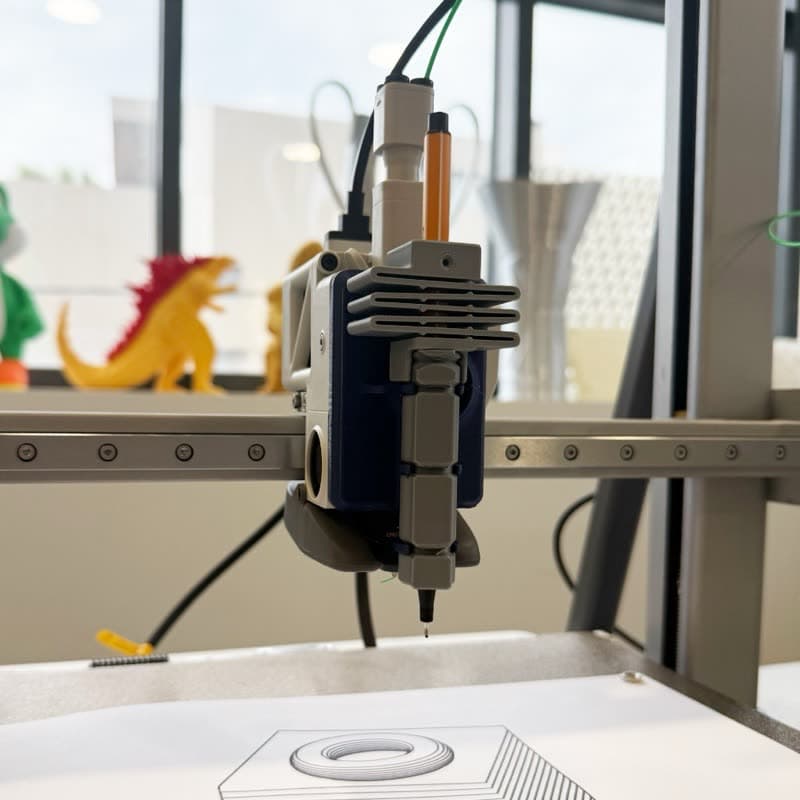
From A2L to Pen Plotter in 3 Steps
No complex calibration, no manual G-code editing. Just follow these simple steps.
Print the Tool Head Cover
Download the A2L tool head cover STL and print it on your A2L. Takes about 2 hours with standard settings.
Create Your Design
Use our web app to create designs from text, images, or freehand drawing. Select "Bambu Lab A2L" from the printer dropdown.
Generate & Plot
Click generate, download the G-code, send it to your A2L. Watch your printer draw on the massive 330×292mm area!
Everything You Need for A2L Plotting
Optimized specifically for the Bambu Lab A2L bed-slinger with H2S tool head cover presets.
H2S / A2L Tool Head Cover STL
The A2L uses the same H2S / A2L integrated tool head cover with pen holder. Download the STL and print it on your A2L in about 2 hours.
One-Click G-code
Generate plot-optimized G-code from text, images, or drawings. No manual editing, no Inkscape plugins needed.
A2L Presets
Pre-configured bed size (330×320mm), safe Z heights (Z-Draw 12, Z-Lift 20), and optimized speeds. Just select A2L and start plotting.
50+ Hershey Fonts
Single-stroke fonts designed for pen plotting. Create beautiful text art that plots cleanly every time.
Large-Format Bed
330×292mm plot area on the A2L bed-slinger — great for posters, maps, and large artwork.
Bed-Slinger Plotting
Optimized homing and travel paths for the A2L bed-slinger. Fast travel between paths keeps plot times short.
See the A2L in Action
Watch pen plotting in real-time on the Bambu Lab A2L.
Bambu Lab A2L pen plotter attachment in action
A2L Plotting Specs
| Plot Area | 330 × 292 mm |
| Pen Holder | Included STL (Tool Head Cover) |
| Setup Time | < 30 minutes |
| Max Travel Speed | 500 mm/s |
| Fonts Included | 50+ |
| Price | €29.90 one time (for a limited time) |
| Updates | Lifetime |
Why 3DPlotter vs DIY Setup?
You could cobble together free tools, but here's what that actually looks like.
DIY Approach
- ✗Find pen holder STL that fits A2L tool head
- ✗Install Inkscape + multiple plugins
- ✗Learn G-code post-processing scripts
- ✗Manually calculate bed offsets for 330×320 bed
- ✗Debug crashes and failed plots
- ✗4-8 hours to first successful plot
3DPlotter
- Tested A2L tool head cover STL included
- All-in-one web app (no installs)
- One-click G-code generation
- A2L preset with correct offsets
- Visual calibration wizard
- <30 minutes to first plot
Frequently Asked Questions
Everything you need to know about pen plotting on your Bambu Lab A2L.
Will pen plotting damage my A2L?
No. Pen plotting only uses X/Y movement at low speeds, no heating, no extrusion. The pen holder attaches to the tool head cover and movements are gentler than actual 3D printing. Many users plot for days without any issues.
What pens work with the A2L pen holder?
Our pen holder fits standard pens and markers: Sakura Pigma Micron, Staedtler fineliners, Sharpies, Stabilo, gel pens, and most pens with 8-12mm diameter. The spring-loaded design accommodates slight variations.
Can I still use my A2L for 3D printing?
Absolutely! The tool head cover with pen holder clips on and off easily. Switch between plotting and printing whenever you want, no permanent modifications needed.
What's the maximum plot size on A2L?
The A2L has a 330×320mm bed. Due to the pen holder attachment offset (28mm in front of the extruder), the maximum plot area is 330×292mm. Perfect for large posters, detailed maps, and impressive artwork.
Do I need any software besides 3DPlotter?
No. 3DPlotter is an all-in-one web app—create designs, generate G-code, and export. No Inkscape, no plugins, no command-line tools. Just your browser.
How fast can the A2L plot?
The A2L supports up to 500mm/s travel speed. Pen plotting typically uses slower draw speeds (30-60mm/s) for quality, with faster travel moves between paths.
Ready to Turn Your A2L Into a Plotter?
Join thousands of makers who've unlocked pen plotting on their Bambu Lab printers.
One-time purchase • Lifetime access